Scenario
I want to create a custom domain for a repository’s GitHub Pages site.

Solution
Add the domain in GitHub profile settings
The first step is to verify ownership of the domain in GitHub profile settings. This is different from the repository settings.
- Go to GitHub
- Click your profile picture
- Go to
Settings - From the left sidebar, go to
Pages - Under
Verified domains, clickAdd a domain
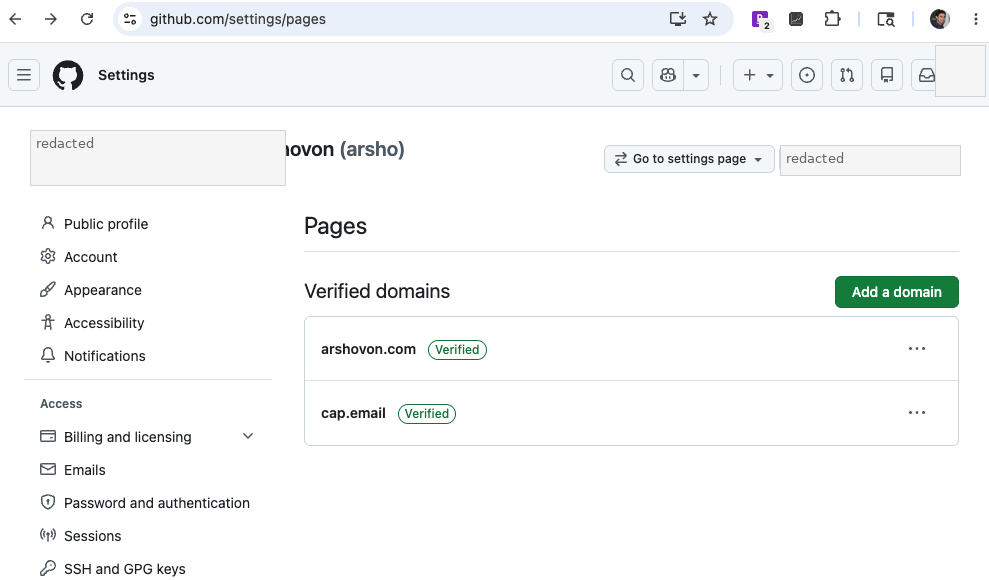
Enter the domain name you want to verify.
For example: example.com
GitHub will show a DNS TXT record that you need to add in your domain name provider.
The verification page will show two important values:
- TXT record hostname
- TXT record value
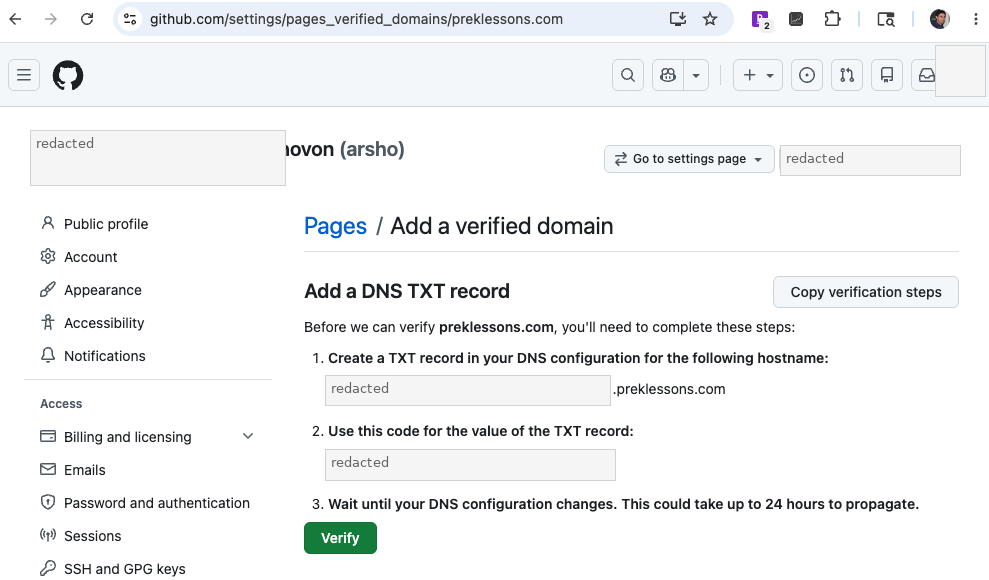
Keep this page open because you will need to come back and click Verify after adding the DNS record.
Add DNS records in the domain provider
Now go to your domain name provider. I am using Dynadot, but the process should be similar for other providers.
- Go to
My Domains - Open
Manage Domains - Select your domain
- Go to
DNS Settings - Select your DNS option
- Add the GitHub Pages DNS records
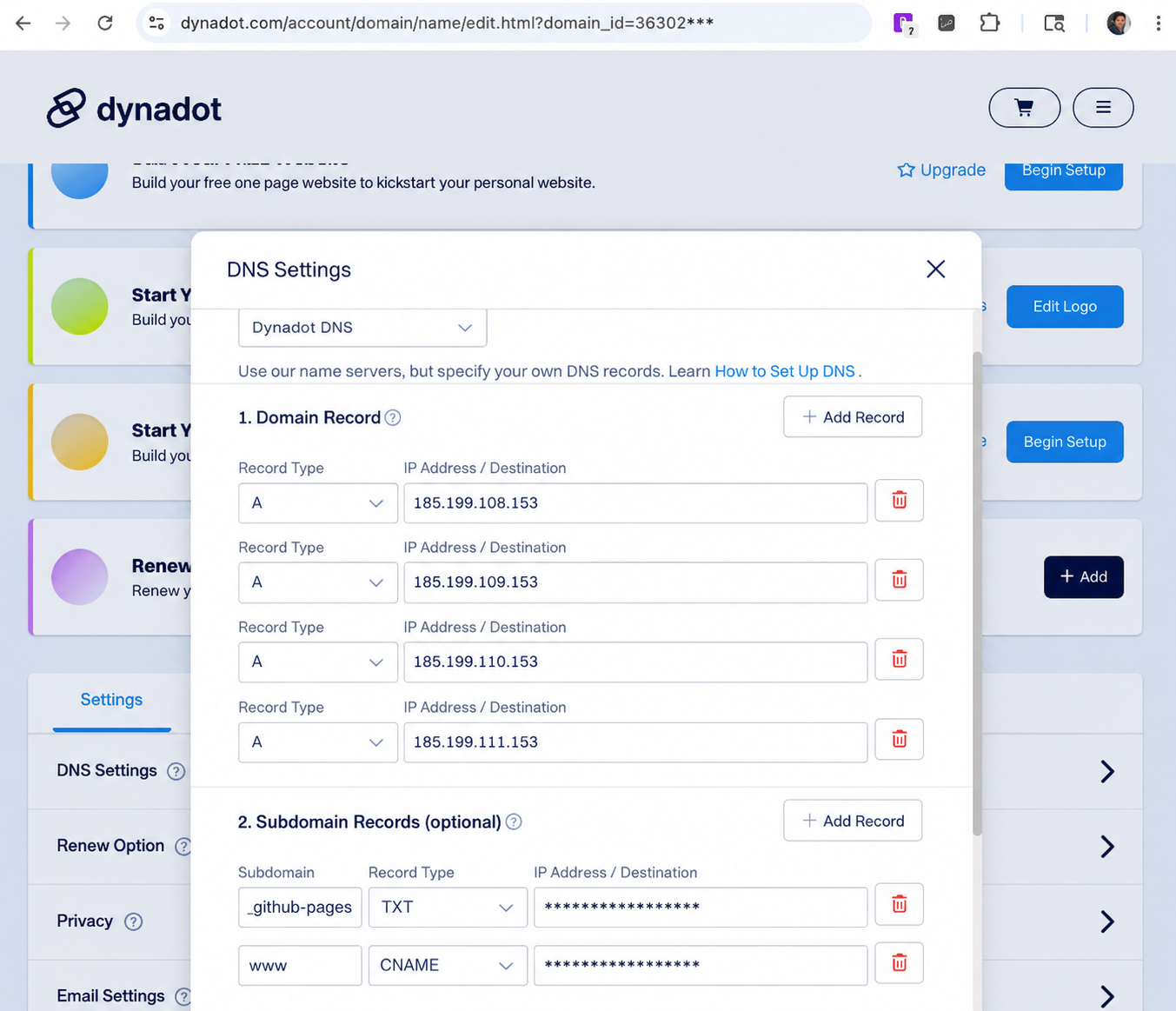
- For the domain, add these
Arecords:
Record Type: A
Value: 185.199.108.153

Record Type: A
Value: 185.199.109.153

Record Type: A
Value: 185.199.110.153

Record Type: A
Value: 185.199.111.153
- Then add a
CNAMErecord for thewwwsubdomain:
Type: CNAME
Host: www
Value: username.github.io
Replace username with your GitHub username.
- Also add the TXT record that GitHub gave you for domain verification:
Type: TXT
Host: _github-pages-challenge-username
Value: github-verification-code
After adding the records, save the DNS settings.
Optional: Add email forwarding
If you also want to create a custom email address using the same domain, you can add email forwarding from the domain provider.
For example: hello@example.com -> yourgmail@gmail.com
In Domain Name Provider:
- Go to
Email Settings - Select
Forwarding Email - Add the username part of the email address (for example
hello) - Add the existing email address where the emails should be forwarded
- Click
Save Email Settings
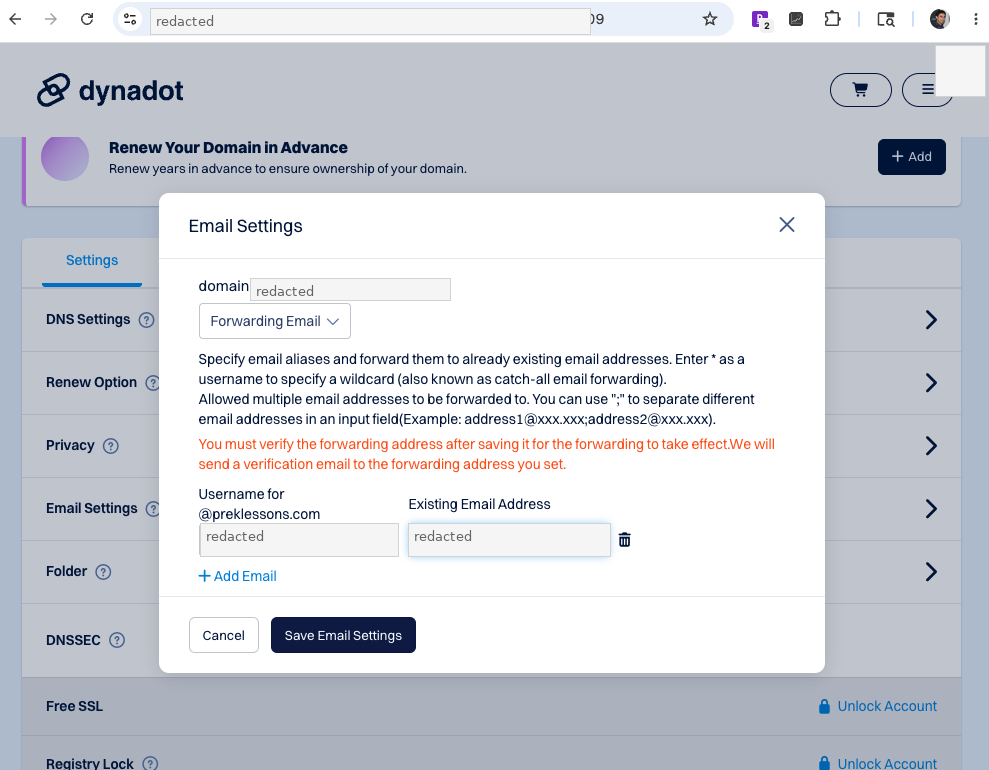
This step is optional and is not required for GitHub Pages.
Verify the domain in GitHub profile settings
After saving the DNS records, wait a few minutes. In many cases, DNS changes may start working within 5-10 minutes, but sometimes it can take longer.
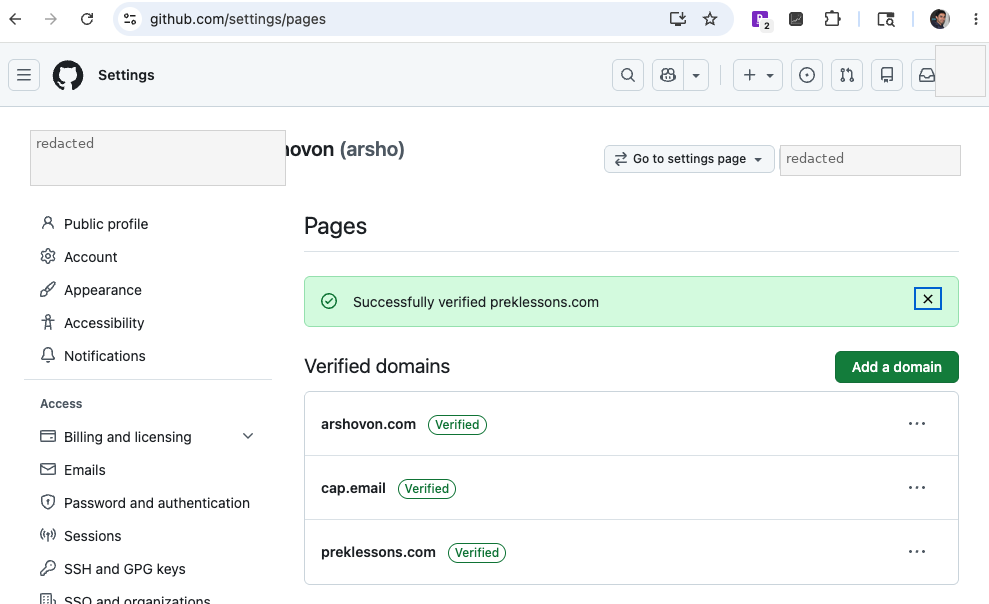
Reopen the tab to verify the domain in Github profile: GitHub Profile Settings > Pages > Verified domains
Click the Verify button.
Once GitHub finds the TXT record, the domain will be verified.
Add the custom domain in the repository settings
After verifying the domain in your GitHub profile settings, go to the repository that hosts your GitHub Pages site.
- Open the repository
- Go to
Settings - From the left sidebar, click
Pages - Under
Custom domain, enter your domain - Click
Save.
At first, GitHub may show a DNS check error if the DNS records have not fully propagated yet.
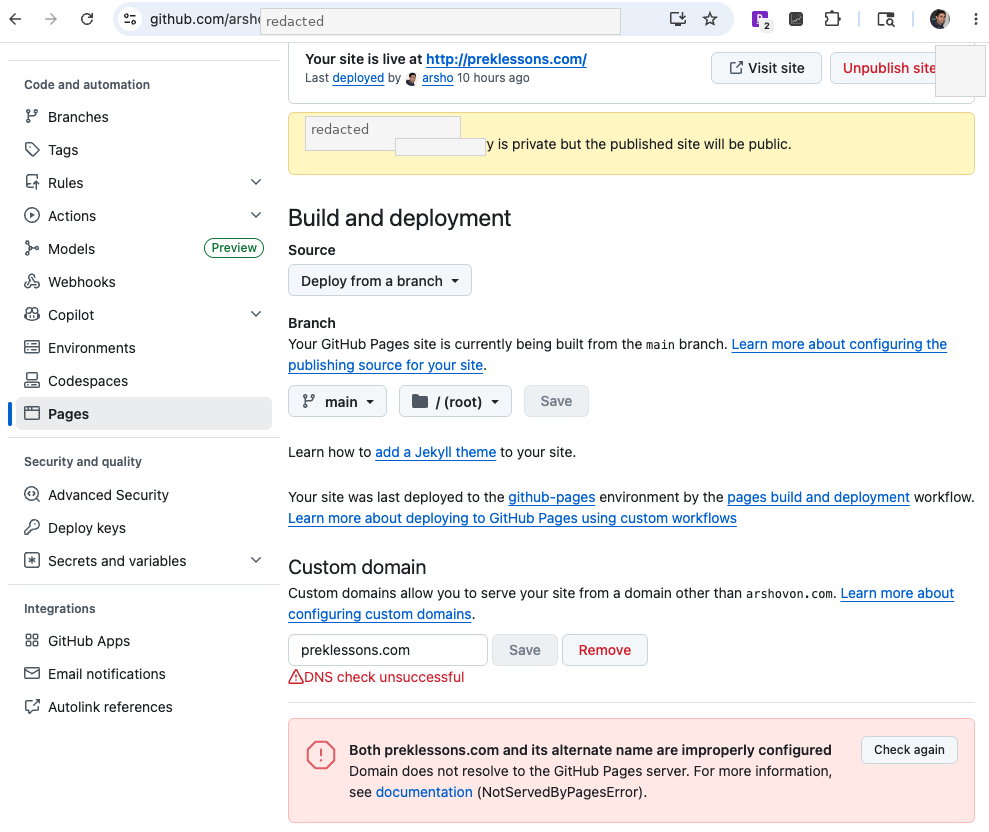
Wait a few minutes and click Check again.
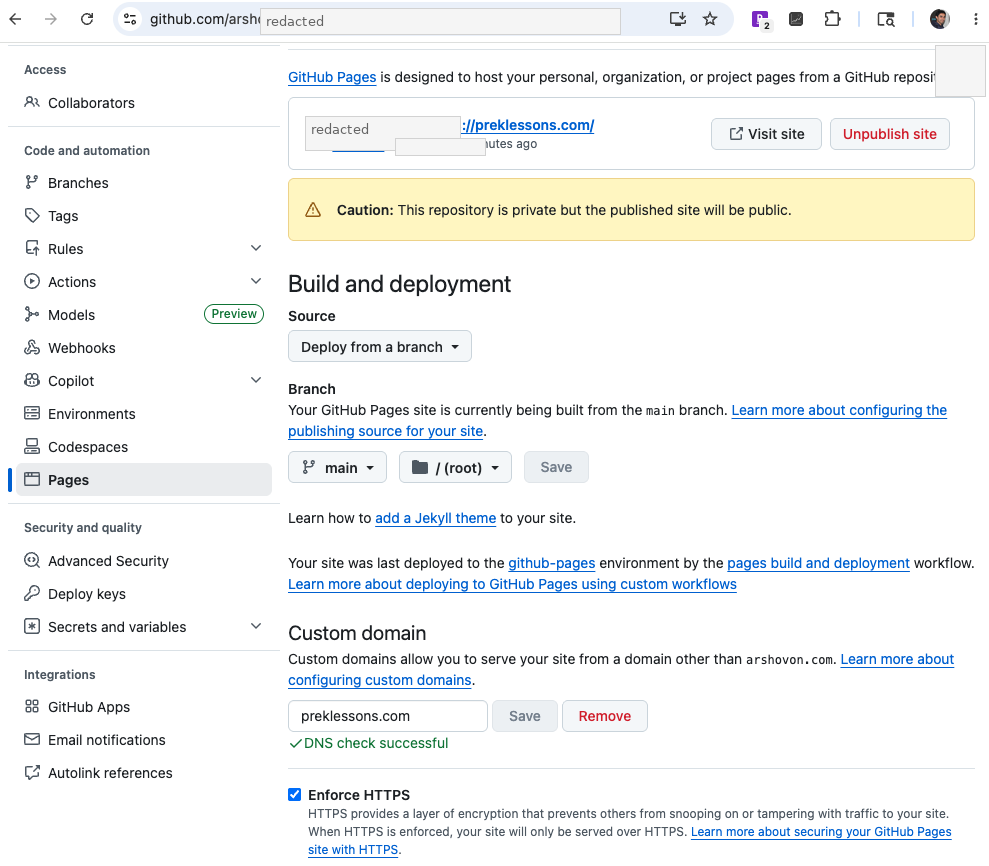
When the DNS records are correct, GitHub will show: DNS check successful
You can also enable: Enforce HTTPS
Test the website
Now open your domain in the browser. If everything is configured correctly, your GitHub Pages site should load using your custom domain.
Notes
- Add the domain first in GitHub profile settings, not only in repository settings.
- The TXT record is used to verify that you own the domain.
- The
Arecords point the root domain to GitHub Pages. - The
CNAMErecord points thewwwsubdomain to your GitHub Pages address. - DNS changes can take a few minutes to several hours.
- After DNS check succeeds, enable
Enforce HTTPS.
Reference
Advertisement